MIA Toolkit v0.1.0 → v0.1.5
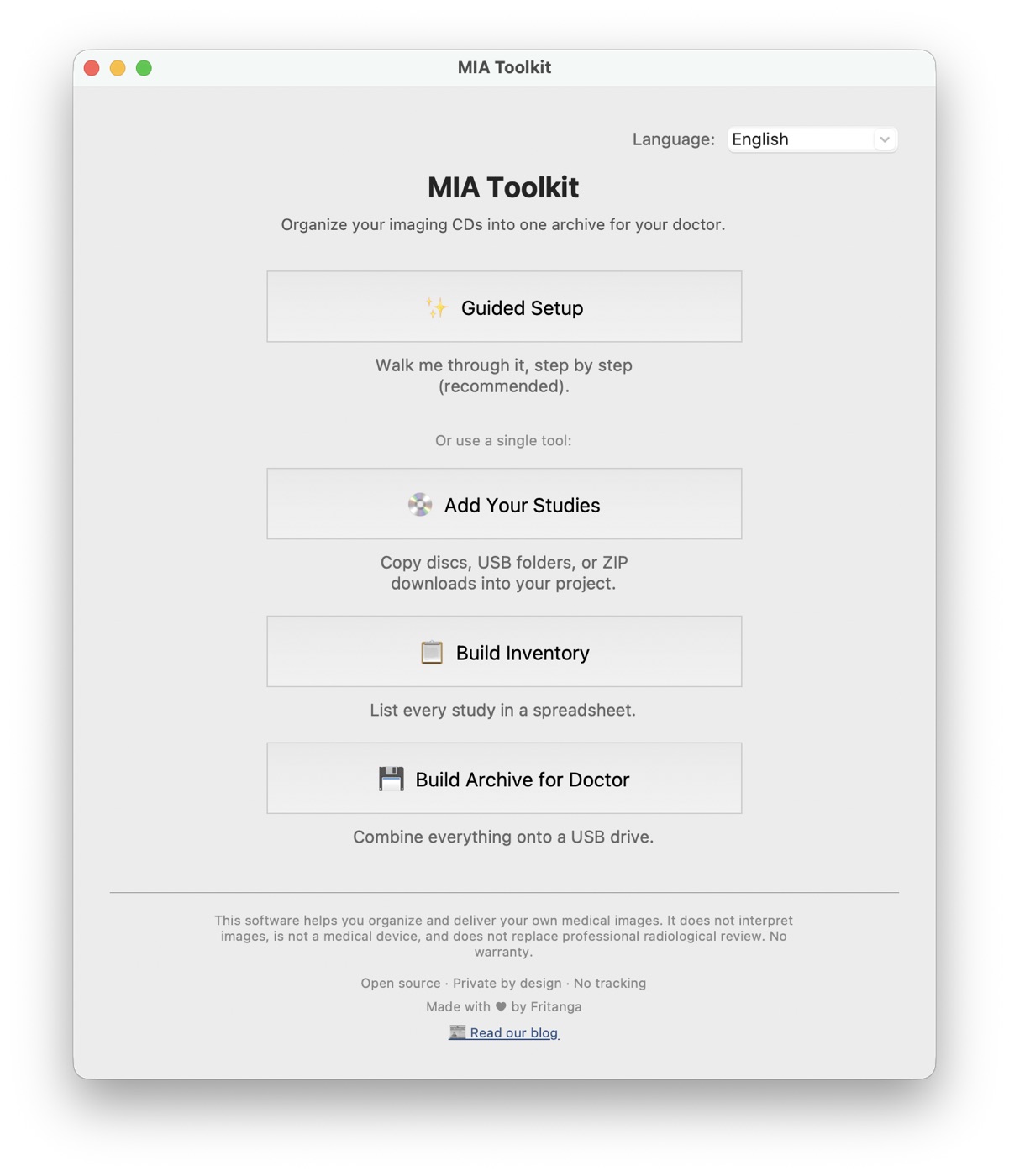
MIA Toolkit started as a promise: your medical images belong to you, and getting them onto one USB drive for your doctor shouldn't require a computer science degree. Six releases later, here's everything that promise has grown into — including one promise we made in writing and just kept. And everything stays exactly as free as day one.
v0.1.0 — the foundation
The first release shipped the heart of the tool: Guided Setup, a step-by-step wizard that walks you from a stack of hospital CDs to one organized, standards-compliant archive on a USB drive. Insert a disc, it copies and ejects itself, and waits for the next one. At the end you get a plain-language inventory of every study and a verified copy onto your USB — checked file by file, because USB drives can be flaky and your scans are not the place to find that out.
v0.1.1 — Español y 中文
The app learned Spanish and Simplified Chinese — not as an afterthought, but because the people this tool is for are often helping a parent who never used English software in their life. One click in the corner of the home screen switches everything.
v0.1.2 — one name everywhere
We tidied the brand to MIA Toolkit across the app, the installers, and the website — and the website learned to detect your computer and hand you the right download (Mac or Windows) automatically.
v0.1.3 — add studies from anywhere
Hospitals are quietly retiring CD drives. More and more, you get a USB stick at the front desk, or a ZIP file from a patient portal. So the "Rip discs" step became "Add your studies", with three buttons:
- Insert a disc — the classic auto-loop, unchanged.
- From a folder or USB — point at the drive the hospital gave you.
- From a ZIP file — the download from your patient portal, even when it's zips-inside-zips.
Before anything is copied, the app shows you what it found — how many files, how big, how many look like medical images — and warns you loudly if a source contains none. Everything still happens entirely on your computer. v0.1.3 also added Bahasa Melayu and தமிழ்.
v0.1.4 — Deutsch, and a way for clinics to help
German became the sixth language, and the support page gained an Institutional License for clinics and hospitals — the paperwork package (certificate, invoice, IT guide, security one-pager) that lets an institution deploy the tool through proper channels. To be unmistakably clear: individuals never pay. Institutional licenses exist so organizations with budgets fund free access for the people without one.
v0.1.5 — the promise we just kept
Our manifesto says: "We sign and notarize the apps so they open without scary warnings, for everyone, as soon as we possibly can."
As of v0.1.5, the Mac app is signed and notarized by Apple. Download it, double-click it, and it just opens — no "unidentified developer" warning, no right-click ritual, no asking your grandson to override a security dialog. For a tool whose whole point is being trustworthy with your most personal data, this matters more than any feature: your computer itself now vouches for what you're running.
(Windows friends: your turn is coming — the equivalent signing for Windows is in its final approval stage. Until then it's the familiar "More info → Run anyway," one time.)
What's next
Windows code signing, .iso rescue-image import for damaged discs, and a help section answering the questions we hear most.
Download MIA Toolkit free — it always will be.
MIA Toolkit helps you organize and deliver your own medical images. It does not interpret images, is not a medical device, and does not replace professional radiological review. No warranty.